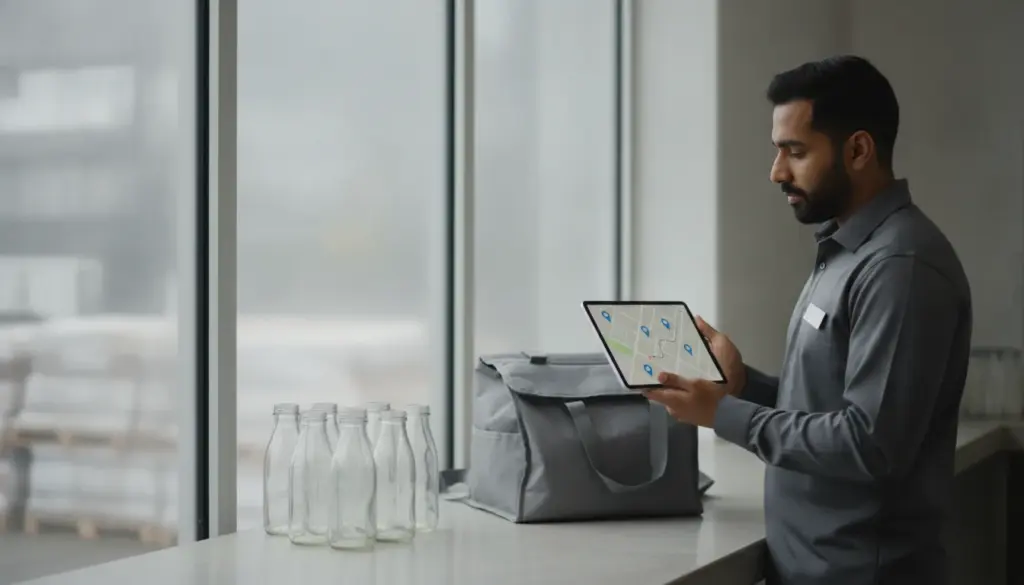
A well-built delivery app lets drivers keep moving even when the network drops. Instead of freezing when signal bars vanish, it switches to an offline workflow that stores orders, directions, and proof of delivery on the phone, then sends everything to the server once coverage returns.
Why offline service matters on the road
Signal gaps are common near warehouses, basement parking, lifts in tall buildings, rural edges, and highway stretches. In Pakistan and the Gulf, one route can pass through multiple weak zones. If the app freezes at every dead spot, orders stack up and handovers stall. An offline flow avoids that. Drivers still see the next stop, view item lists, call a customer when the phone reconnects, and record a handover at the doorstep. For daily bottled water runs, morning milk drops, or urgent LPG swaps, no one waits for bars to reappear before taking the next step.
Data the app stores on the device
At the start of a shift, or when dispatch assigns a batch, the app downloads essentials: stop sequence, customer names, numbers, addresses, items, prices, notes, and time windows. If the workflow includes inventory checks, the phone keeps a local copy so the driver can mark shortages or swaps without a network.
Proof of delivery is captured offline too. Signatures, photos, barcodes, and one-time codes land in an encrypted folder on the phone. A failed attempt is saved with its reason and timestamp. None of this depends on a live server call. When the phone reconnects, the package uploads and becomes visible to dispatch and the client. Clear rules on what to capture at each stop help teams stay consistent.
Syncing once the signal returns
Every offline action sits in a queue, labeled with order, stop, and timestamp. As soon as data is available, background sync begins. The server processes the queue in time order, resolves clashes, and updates driver status. If dispatch changed an order while the driver was offline, the system compares timestamps and decides which field wins. Status fields usually keep the newest update, while notes and proofs append.
Payment records follow the same logic. Cash collected is saved offline with amount and denominations, then reconciled later. If the customer pays by card or wallet, the app waits until a network check passes before confirming the charge. Real-time tracking pauses in a dead zone and resumes when data flows again, so the client map may show a short gap that later fills in.
At Tarsil we design offline flows for poor coverage, including route storage, doorstep capture, and background sync within our features. The goal is to make offline feel normal rather than an exception that needs weekly reminders.
Navigation and tracking without data
Smartphones read GPS without mobile data. A delivery app caches recent map tiles while online and uses GPS to position the driver when offline. If the phone already holds the right tiles, navigation continues. If not, the app can fall back to an arrow that shows distance and bearing so the driver reaches the area and recognises landmarks.
The location trail is written locally and pushed later, so customers and dispatch see an unbroken breadcrumb once coverage returns. When you speak with customers, note that map updates may pause in short dead spots and refresh when the truck moves into better coverage. That sets clear expectations without overpromising.
When your store shows offline on a marketplace
Driver offline handling is not the same as a restaurant or shop appearing unavailable on a food or parcel marketplace. Commentators point out that stores go dark because point of sale crashes, an integration key breaks, the kitchen overloads, stock mismatches, or the platform auto-closes a listing after several missed orders. Some portals also have a holiday mode that managers forget to turn off.
If your team handles both direct routes and aggregator tickets, keep a simple playbook. Drivers use offline capture steps when the phone has no data. Dispatch watches for marketplace alerts tied to missed tickets. Managers check integration logs for errors and restart feeds if needed. A short internal note with screenshots on the company blog helps new hires learn what to do when the map stalls, a call fails, or the store tag suddenly turns grey even while drivers keep completing the route.
The right offline design turns shaky coverage into a minor nuisance instead of a major cost, letting drivers focus on safe, steady deliveries and letting customers trust that their order will land even when the network disappears for a few minutes.